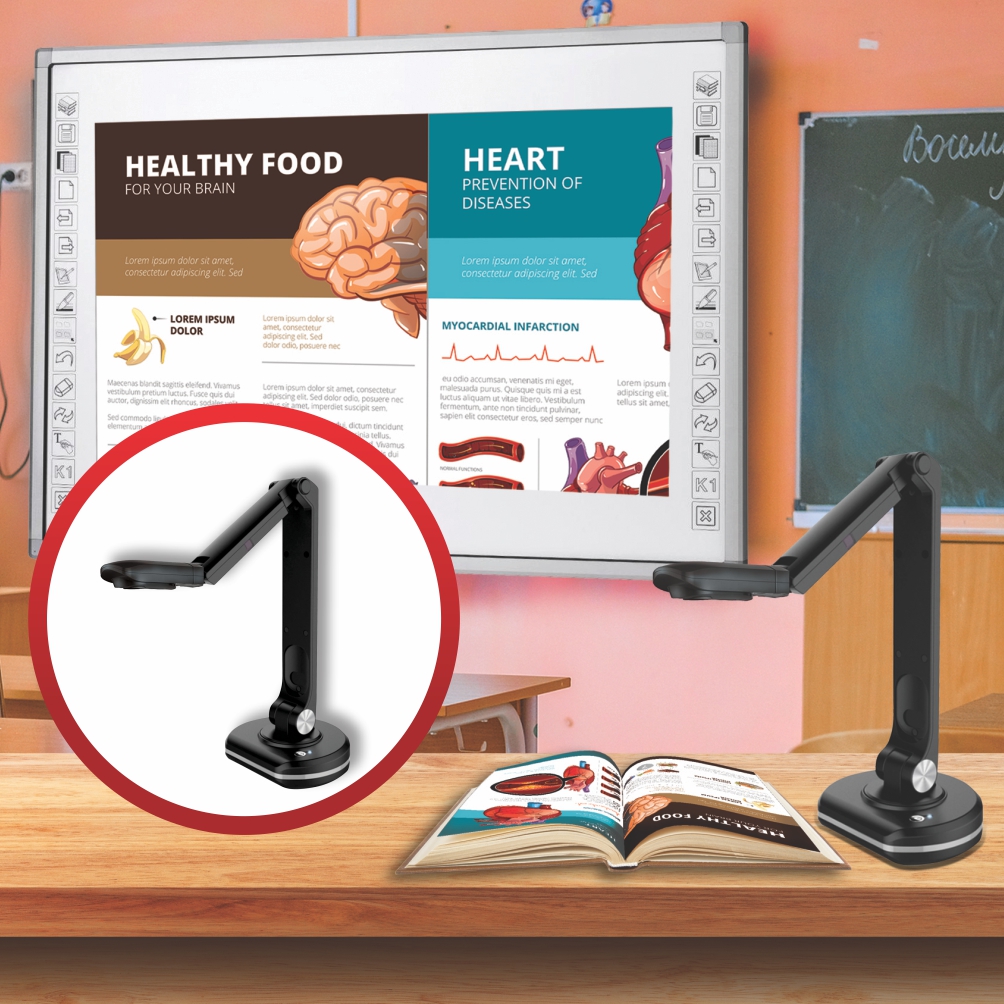

The Ultimate Guide to Visualizer Document Scanners: Parrot VZ0001 and VZ0002
Table of Contents:
1. Introduction
2. Understanding Visualizer Document Scanners
3. Features of Parrot VZ0001 and VZ0002
4. How to Choose the Right Visualizer Document Scanner
5. Benefits of Using Visualizer Document Scanners
6. Tips for Optimizing Your Scanning Experience
7.Conclusion
Introduction
Visualizer document scanners have revolutionized the way we digitize and manage documents
In this comprehensive guide, we will delve into the world of visualizer document scanners, with a specific focus on the Parrot VZ0001 and VZ0002 models. Whether you're a professional looking to streamline your document management or an educator aiming to enhance your teaching experience, this guide will provide you with all the information you need to make an informed decision.
Visualizer document scanners, also known as document cameras, are powerful tools that capture and display real-time images of documents, objects, or 3D items. They are widely used in various settings, including classrooms, conference rooms, and offices, to present and share content with clarity and precision.
The Parrot Visualizer Econo and Visualizer Deluxe are exemplary models that offer advanced features for seamless document scanning and presentation.
To create a future-proof classroom environment with a Parrot Document Scanner, akin to a modern-day overhead projector, and enhance the learning experience while reducing textbook costs, follow these steps:
Integrating Parrot Document Scanner:
* Incorporate the Parrot Document Scanner into your classroom setup to digitize and manage documents efficiently.
* Utilize the scanner as a visualizer to display real-time document scans, enhancing lesson delivery and engagement.
Reducing Textbook Costs:
* Digitize textbooks and learning materials using the document scanner to reduce the reliance on physical textbooks.
* Create digital libraries accessible to students, cutting down on the need for expensive printed materials.
Creating Memorable Lessons:
* Enhance lessons by projecting scanned documents, illustrations, and interactive content in real-time.
* Encourage student participation through interactive sessions using the scanner as a visual aid.
Benefits of Visualizer Document Scanners:
*Revolutionize the way information is presented and shared in the classroom.
* Facilitate dynamic and engaging lessons that cater to diverse learning styles.
* Foster a more interactive and immersive learning environment that boosts student retention and understanding.
By embracing the capabilities of a Parrot Document Scanner as a modern educational tool, educators can transform traditional teaching methods, reduce costs associated with textbooks, and create more impactful and memorable learning experiences for students.